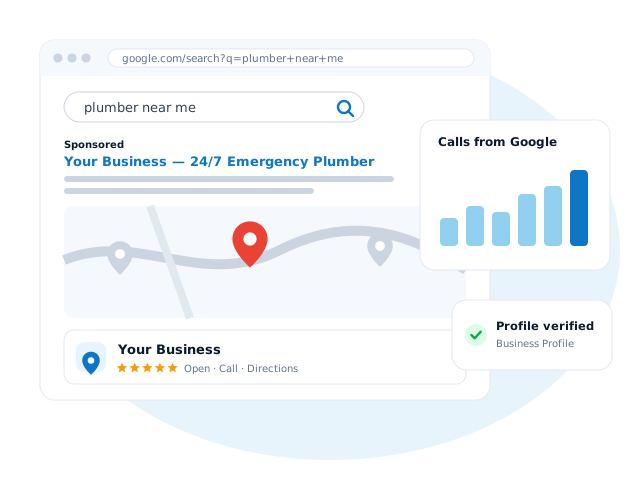
When someone searches "electrician near me" or "café in Centurion", the first thing they usually see isn't a website. It's a map with three businesses underneath it. Those listings come from Google Business Profile, and for many local businesses they bring in more calls than the website itself.
The good news: it's free. The bad news: most profiles are half-finished. Here's how to do it properly.
What is a Google Business Profile?
It's your business's listing on Google Search and Google Maps, formerly known as Google My Business. It shows your name, opening hours, phone number, location or service area, photos, reviews and a link to your website. Customers can call, message or get directions with one tap.
Step 1: Claim or create your profile
Search for your business name on Google Maps. If a listing already exists, often created automatically, choose to claim it. If not, create a new one at google.com/business. Use your real business name, exactly as it appears on your signage and paperwork. Adding keywords to your name breaks Google's guidelines and can get the profile suspended.
Step 2: Get verified
Google needs to confirm you're a real business at the location or area you've given. Depending on your business, that might be a video of your premises or vehicle, a phone or email code, or a postcard. Verification is Google's decision, so give it accurate information and be patient.
Work from home or travel to customers? Set up a service-area business and hide your address. You'll still appear in local results for the areas you cover.
Step 3: Fill in every section
Complete profiles tend to perform better, because Google has more to work with and customers have more reasons to choose you.
- Primary category: the single most important setting. Choose the most specific match, like "Plumber" rather than "Contractor".
- Additional categories for the other things you genuinely do.
- Services and products, with short descriptions and prices if you're happy to share them.
- Opening hours, including holiday hours.
- Business description: a plain explanation of what you do and where.
- Website and booking links.
Step 4: Add real photos, and keep adding them
Photos of your actual work, team, vehicles and premises build trust far faster than stock images. Add a handful to start, then a few new ones every month. A finished job is a perfect excuse.
Step 5: Get reviews the right way
Reviews are one of the biggest factors in whether someone picks you. The best way to get them is simply to ask happy customers, and make it easy with your profile's review link sent by text or WhatsApp after a job.
- Do reply to every review, good and bad, politely and promptly.
- Don't offer discounts or gifts in exchange for reviews, or write them yourself. It breaks Google's rules and consumer protection law.
Step 6: Post updates
Business Profile lets you publish short posts: offers, news, recent projects or seasonal reminders. They show on your listing and signal that you're active. Once or twice a week is plenty.
Step 7: Connect it to your website
Your profile and website should back each other up: the same business name, address and phone number, a link from the profile to the site, and a website that clearly mentions the areas you serve. Add Google Analytics and Search Console to see how many people find you and what they search.
Want it done for you?
Setting up a profile properly takes a few hours; keeping it active takes a little time every week. Google Management (R2,500/month) covers your Business Profile alongside Google Ads, Analytics, Tag Manager and Search Console, with a plain-English report every month.
Not sure how your listing looks? Send me your business name and I'll tell you honestly what would help, free.